
Outlook Email Newsletter

I can design email mockups for email deployment teams, as well as create emails in services like SalesForce Marketing Cloud, or code emails with HTML and CSS.
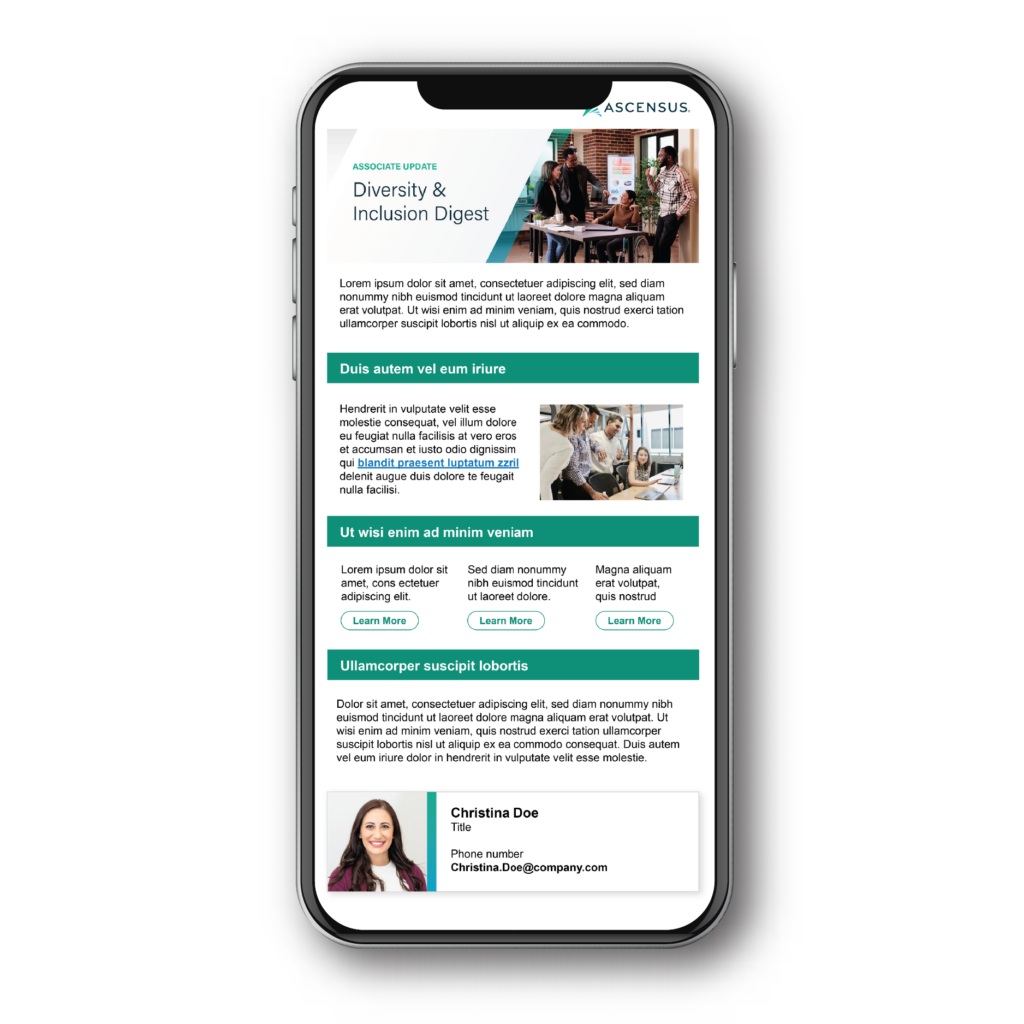
An email newsletter displayed on a cell phone.
— The Brief

About the Project

This is an anonymized version of an email I created for associate-facing communications that would be sent through Outlook. 

A problem we faced is that the Design Team uses Macs, and the department sending the email uses PCs, and Outlook for Mac can not save a template that can be opened by Outlook for PCs, and vice versa. 

I designed this email by coding it in Adobe Dreamweaver using HTML tables and inline CSS code, and opening the email in an internet browser. From there, I copied the design, and pasted it into Word. I sent the Word file to the requesting department. They are able to edit the Word file each time they need to send the newsletter, copy the contents of the Word file, and paste it into Outlook to send.  

Client 

Internal stakeholder

Deliverable

Deliverable

Industry

Industry

Year

Year

— The Work

Creating a template for Outlook is difficult because they don’t render emails the way most email clients do, HTML can behave unpredictably, and there is no common template file between PCs and Macs. I settled on a somewhat simplistic template built in Word tables, using color to separate sections. Users can copy the Word document into Outlook.

— The Results

The team was very happy with the result. The template has gone through some tweaks, including updating colors and the banner image, but is still used today.